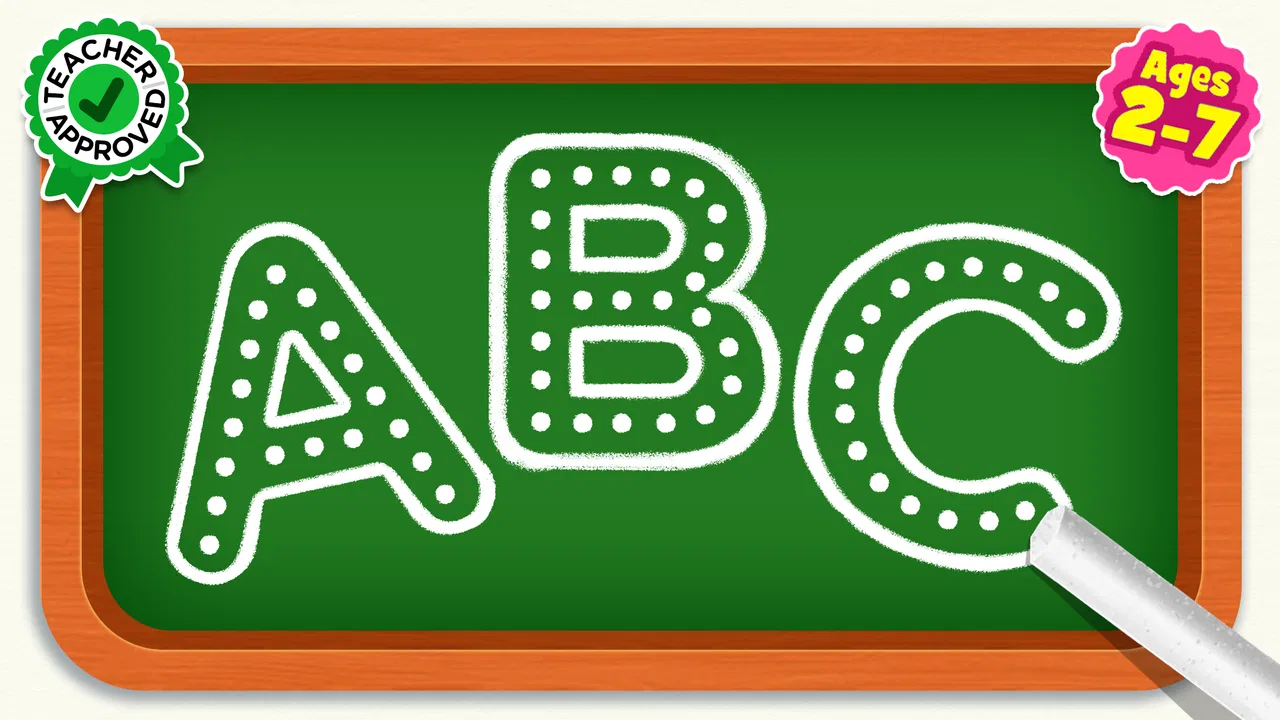
ABC Games: Tracing & phonics
- 4.4
- Rating
- 5.00M
- Installs
- Free
- Price

 Analysis by App-foxy
When I first opened ABC Games: Tracing & phonics, I understood its purpose almost immediately: it is a gentle educational game for young children who are beginning to recognize letters, connect sounds with symbols, and practice early spelling. The experience is aimed at toddlers, preschool children, and kindergarten learners, but its usefulness depends less on age than on the child’s current attention span and comfort with touch controls.
I like that the app focuses on a small group of early-learning skills instead of trying to become an entire digital classroom. Its activities revolve around tracing, phonics, and spelling, so a child can move between handwriting practice and sound recognition without switching to a completely different app. That makes it especially practical for a short learning session at home, while waiting at an appointment, or during a quiet part of the afternoon.
The game is made by Piggy Panda Inc and belongs to the educational game category. It is free to install, with optional purchases ranging from $1.49 to $59.99 per item. The age rating is Everyone, which fits the child-friendly learning focus, although I would still stay nearby during the first sessions to see how the child responds to the activities and any purchase prompts.
You May Also Like

 Blood Strike: 2.5 Anniversary
Blood Strike’s Loadouts Turn Every Drop Into a Tactical Gamble
A close look at Blood Strike’s custom loadouts: how fast access to signature weapons reshapes its battle royale rhythm, rewards preparation, and narrows the gap between fights.

 Pandora - Music & Podcasts
Pandora’s Music Is Easy to Start, but Harder to Recover
Pandora’s strength is its low-effort path from a seed to a station. Its weak spot is how much confidence it asks you to place in connection, setup, and quiet recovery.

 8 Ball Pool
 Is Built on Rivalries, Rematches, and Routine
A close look at the rivalries, rematches, shared routines, and unanswered safety questions that turn a quick pool match into a persistent mobile community.

 Samsung Music
’s Quiet Strength Is Playing What You Already Own
Its reach comes less from spectacle than from dependable access to a personal library. That simplicity is both the app’s strongest retention engine and its ceiling.

 AccuWeather: Weather Radar
AccuWeather Review: A Quick, Clear Forecast for Everyday Decisions
For everyday plans, the best forecast is the one you can understand quickly. AccuWeather makes rain timing, radar, and local conditions easy to act on, with a few trade-offs.

 Hill Climb Racing
Why Hill Climb Racing Still Turns Crashes Into One More Run
A tiny car, a bumpy hill and one more upgrade: Hill Climb Racing keeps resurfacing because its simple chaos makes every near-miss feel personal.
More From Our News Desk



What the first session feels like
The most reassuring part of the first launch is that the idea is easy to explain to a child: look at the letter, follow its shape, listen to or identify its sound, and try the next small challenge. A young learner does not need to understand menus, accounts, or a complicated progression system before doing something useful. That low barrier matters because children often lose interest before an educational app has had a chance to teach them anything.
I would introduce it as a game rather than as homework. Saying “let’s help the letter” or “show me how this letter moves” usually creates less pressure than asking a child to complete a lesson correctly. The app works best when the adult treats mistakes as part of the activity instead of immediately taking over the screen.
Its strongest audience is a child who is starting to notice letters but still needs repeated, playful practice. A preschooler who enjoys dragging a finger across a screen may find tracing more approachable here than writing with a pencil. A child who already writes the alphabet confidently may find the early activities too simple, so I would not choose it as a main tool for advanced reading or independent spelling development.
The game has reached more than five million installs and holds a 4.4 average from around 3.5 thousand ratings. Those figures suggest that it has found a substantial audience, but they do not replace watching the child use it. Early-learning apps can be very personal: one child may enjoy repeating a letter several times, while another may need more variety and a faster pace.
Setting it up without turning it into a lesson
Before handing over the device, I recommend opening the game yourself and checking the starting screen. This takes only a moment, but it helps you recognize where the tracing activity begins and where a child might tap next. I also prefer to adjust the environment around the app: lower background distractions, use a comfortable screen position, and begin when the child is not already tired or hungry.
ABC Games: Tracing & phonics runs on Android devices using version 7.0 or later. That broad compatibility makes it suitable for families using an older phone or tablet rather than a recent premium device. Still, a larger screen is more comfortable for tracing because small fingers need room to follow a letter without accidentally leaving its path.
The game is free to start, which makes trying it with a child straightforward. Because optional purchases are available, I would handle the device settings and store access before the child begins. This is not about making the experience complicated; it is simply a sensible way to keep a learning session focused on letters rather than unexpected taps.
I would also decide in advance how long the first session should be. For a toddler, a brief introduction may be enough. The goal is not to complete every activity on the first day. A child who finishes one letter with a smile has had a more useful first experience than a child who is pushed through a long session and begins to associate the game with frustration.
Getting to the first meaningful success
The first success I look for is not perfect tracing. It is the moment when the child understands that a shape on the screen represents a letter and that following it produces a response. To support that moment, I place the device flat or at a slight angle, point to the starting area once, and then let the child try. If the finger wanders, I avoid correcting every movement. I give the child a chance to discover the direction of the stroke.
Once the child completes a letter, I connect the screen activity to the real world. I might ask, “Can you find the same letter on this book?” or “Do you hear that sound at the beginning of your name?” This small bridge is one of the best ways to prevent the game from becoming empty finger exercise. The app provides a visual and tactile prompt; the adult helps turn it into recognition and language.
A useful routine is to choose one letter, trace it, say its sound clearly, and then look for that letter somewhere else. The second search can happen on a cereal box, a picture book, or a sign. This gives the child a reason to remember the symbol after the screen is put away. It also reveals whether the child is learning the letter itself or only following a familiar path.
For spelling activities, I would keep the conversation simple. Ask the child to say the word slowly, listen for the first sound, and then look for the matching letter. Avoid supplying every answer immediately. If the child is stuck, offer one sound or point to two possible choices rather than completing the whole task. That approach turns the app into a prompt for thinking instead of a sequence of taps to finish.
The most effective first-session habit is to connect every screen action with something spoken or seen away from the device. Tracing becomes handwriting preparation, phonics becomes listening practice, and spelling becomes a chance to notice how sounds build a word. Without that connection, even a well-designed activity can remain isolated from real reading.
Where the game helps, and where it needs an adult
Tracing is a natural entry point for children who are not ready for formal handwriting worksheets. A finger can make a broad movement with less resistance than a pencil, and the child receives an immediate sense of participation. I see this as preparation rather than a replacement for paper practice. Children still need to learn how a pencil feels, how much pressure to use, and how to control a smaller movement.
Phonics activities can be useful when the adult slows down the sound. Young children often hear a whole word rather than its individual parts, so repeating the sound clearly can make the connection easier. I would avoid turning the session into a pronunciation test, especially if the child is still developing speech. The aim is to build curiosity about sounds, not to demand a perfect performance.
The spelling side of the game is best for early exposure. It can encourage a child to notice that letters have an order and that changing one letter changes a word. However, I would not rely on it alone for a child who needs structured reading instruction, support with learning differences, or a carefully sequenced phonics program. In those situations, a teacher-led resource or a more specialized literacy tool may be a better primary choice.
Compared with a paper workbook, the app is more inviting for children who resist sitting down with a pencil. It can demonstrate a letter repeatedly without using paper, and the game-like format may make practice feel lighter. The trade-off is that screen tracing can give a child a sense of success without fully developing pencil control. I would use the app as a warm-up, then move to a short paper activity when the child is still interested.
Compared with a video, this game asks the child to do something rather than simply watch. That interactive element is valuable, but it also means the child can tap quickly without thinking unless someone occasionally asks what the letter is or what sound it makes. Compared with a full reading curriculum, it is easier to begin but less comprehensive. Its simplicity is both its strength and its limit.
Three practical ways to get more from it
First, use the app to identify a child’s current sticking point. If tracing is easy but sound matching is difficult, spend more time talking about the sound instead of repeatedly completing the letter path. If sounds are familiar but the child struggles to remember the shape, follow the game with a large, slow letter drawn on paper. This turns the app into an observation tool rather than a fixed routine.
Second, change who holds the device. During one session, let the child control the tracing. During another, ask the child to guide your finger verbally while you hold the device. The second version reveals whether the child understands the direction and sequence or is merely copying movement. It also gives a child who becomes frustrated by fine motor control another way to participate.
Third, stop after a clear success rather than waiting for attention to collapse. Ending with a completed letter or a correctly recognized sound creates a natural reason to return. This is particularly helpful for toddlers, whose useful learning window may be short. The game does not need to fill a long block of time to be worthwhile.
One limitation is that digital rewards can become more interesting than the learning target. If the child rushes through letters to reach the next screen, I pause and ask for the letter name or sound before continuing. If that interrupts the flow too often, I shorten the session. The app should support attention, not compete with it.
Another point to consider is repetition. Repetition is essential for early literacy, but not every child experiences it as fun. A child who enjoys predictable practice may benefit from returning to familiar letters. A child who becomes bored quickly may need the adult to combine the app with books, magnetic letters, songs, or outdoor letter hunts. The game is more effective as one part of a varied routine than as the only literacy activity.
Who should try it, and who may prefer something else
I would recommend this game to families looking for an uncomplicated starting point for alphabet practice. It suits a child who enjoys touch-based activities, needs encouragement to trace, or is beginning to connect spoken sounds with printed letters. It is also a reasonable option for a caregiver who wants a short activity that can be explained without reading a long set of instructions.
It may not be the right choice for a child who already reads simple words independently and needs richer comprehension work. It is also not my first choice for a learner who requires individualized instruction, carefully graduated difficulty, or detailed progress reporting. In those cases, a teacher, specialist, workbook, or more structured literacy program can provide better guidance.
Parents who want a completely hands-off experience should also be realistic. A child may be able to operate the game alone, but meaningful learning still benefits from conversation. The adult does not need to hover over every tap. Checking in, asking one thoughtful question, and linking a letter to something in the child’s surroundings can make a noticeable difference.
The purchase model is another reason to decide how the app fits your household before regular use. The initial download is free, while optional items can cost from $1.49 to $59.99 each. I would treat the free starting point as a trial of the teaching style, not as a promise that every possible activity will be available without payment. That mindset keeps expectations clear.
The current version is 3.1, and the game was released on March 29, 2023. I mention those details because they help identify the app when checking compatibility or deciding whether it fits an older device. For everyday use, the more important question is whether the child can trace comfortably and remain engaged long enough to make a connection between the activity and a real letter.
My recommendation after using it with a beginner’s mindset
ABC Games: Tracing & phonics works best as a friendly first step, not as a complete reading course. I appreciate its narrow focus on tracing, sounds, and early spelling because those skills are easier for a young child to approach when they are presented in small pieces. The free entry point also makes it easy to see whether the child responds well before building the app into a routine.
My preferred use is a short, supervised session followed by an offline connection: find the letter in a book, say its sound, or write it together on paper. That workflow addresses the main weakness of any touch-based tracing game: a screen can guide movement, but it cannot replace the broader physical and language experiences involved in learning to read and write.
For a toddler or preschooler taking the first steps toward alphabet familiarity, I think this is worth trying. Keep the pace relaxed, protect the child from accidental purchases, and celebrate recognition rather than speed. If the child needs advanced reading practice or a more formal teaching sequence, choose a stronger specialist resource instead. For early exploration, though, this educational game offers a clear and approachable path from the first tap to a genuine small success.
FAQs for ABC Games: Tracing & phonics
01What is ABC Games: Tracing & Phonics?
ABC Games: Tracing & Phonics is an educational app designed for young children to learn the basics of the alphabet and phonics. It combines interactive tracing activities with phonetic sounds to enhance early literacy skills. The app aims to make learning fun and engaging for preschoolers and early learners.
02Is ABC Games: Tracing & Phonics suitable for all age groups?
This app is primarily designed for preschoolers and early learners, typically aged 2 to 6 years old. The activities are tailored to develop foundational literacy skills, making it ideal for children who are just starting to explore letters and sounds. Older children might find it too simplistic.
03Does ABC Games: Tracing & Phonics offer any in-app purchases?
While ABC Games: Tracing & Phonics is free to download, it may offer optional in-app purchases to unlock additional content or features. These can enhance the learning experience, but all core learning activities are usually accessible without extra charges. Always check the app store listing for specific details.
04Can ABC Games: Tracing & Phonics be used offline?
Yes, ABC Games: Tracing & Phonics can be used offline once it is fully downloaded and installed on your device. This makes it a convenient option for parents who want their children to learn on the go without the need for a constant internet connection.
05How does ABC Games: Tracing & Phonics ensure child safety?
The app is designed with child safety in mind. It typically features a user-friendly interface with no external ads or links that could lead children away from the app. Parental controls are often included to manage settings and monitor progress, ensuring a safe and focused learning environment.
Pros
- Engaging and colorful interface.
- Simple navigation for young users.
- Includes a variety of learning modes.
- Interactive phonics exercises.
- Offline play available.
Cons
- Limited free content access.
- Some ads can be distracting.
- Requires frequent updates.
- No multiplayer options.
- In-app purchases can be pricey.

ABC Games: Tracing & phonics
Gallery